How can I check on the status of my Android submission or update?
When we submit your Android app or app update to the Google Play Store, you can see the current status in your Google Developer Account here: https://play.google.com/console/u/0/developers
If it has been longer than 7 calendar days since the Last Update listed with your app, you can contact Google directly to receive an update on the review by following these steps:
You will see your Support Ticket on the Help page. Google will respond to you via email using the Account Owner's Email.
If it has been longer than 7 calendar days since the Last Update listed with your app, you can contact Google directly to receive an update on the review by following these steps:
- Click Help on the Menu (left-side). If you are viewing this page on your phone, the menu may need to be expanded.
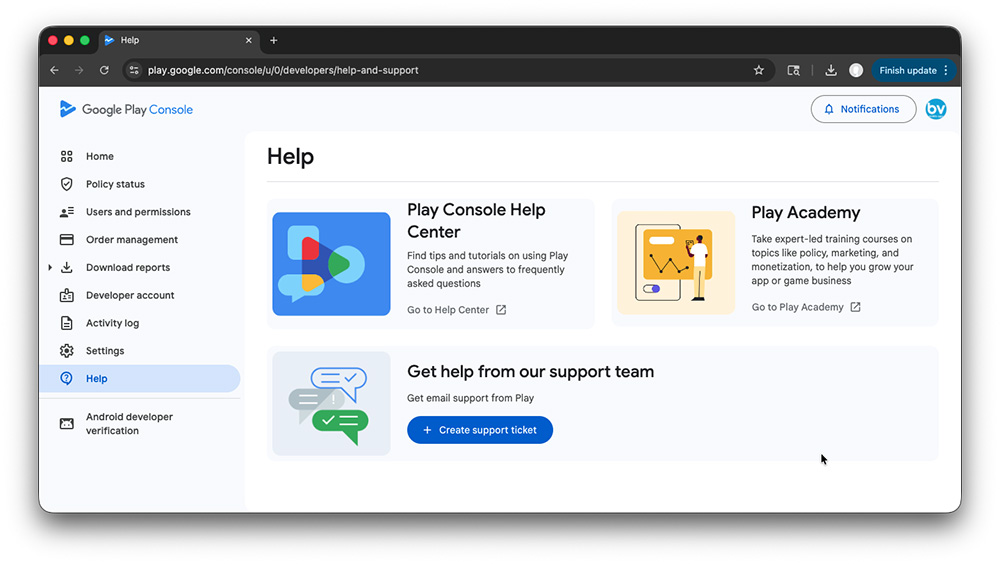
- Select Topic: App releases
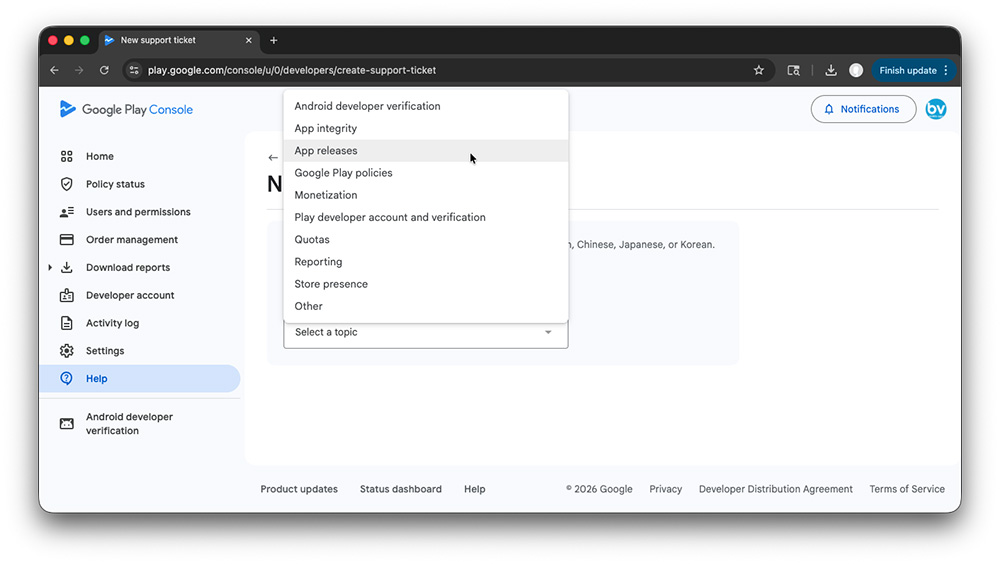
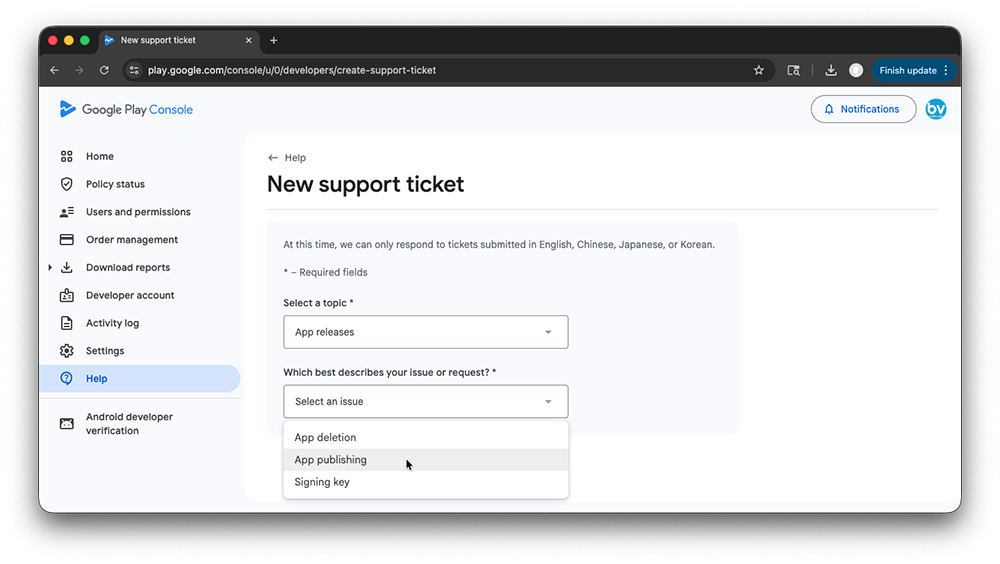
- Select Description for Request: App publishing
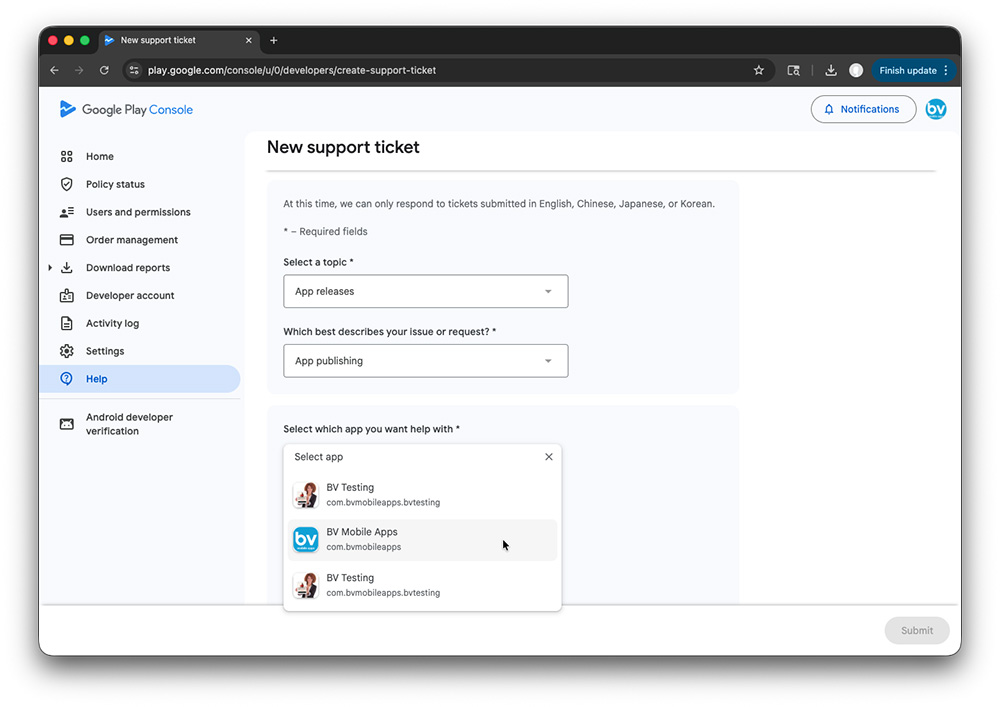
- Select which app you want help with
- Select Issue: I submitted a new app or app update but it's not live
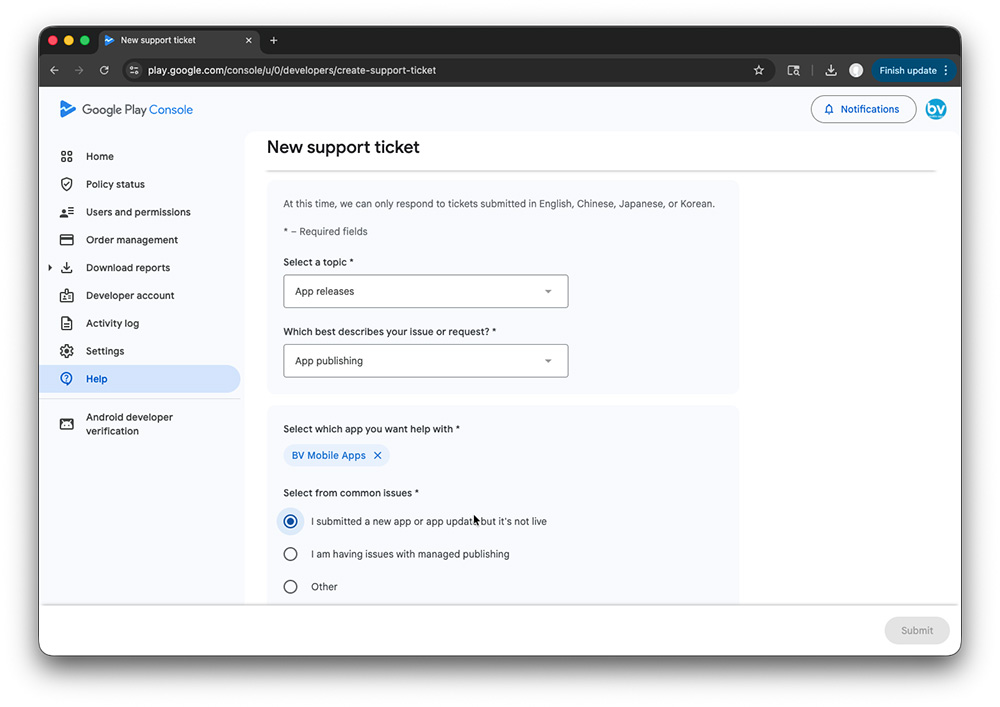
- Describe Issue: I submitted an update for my app and it's still not live. Could someone please give me an update on the Review.
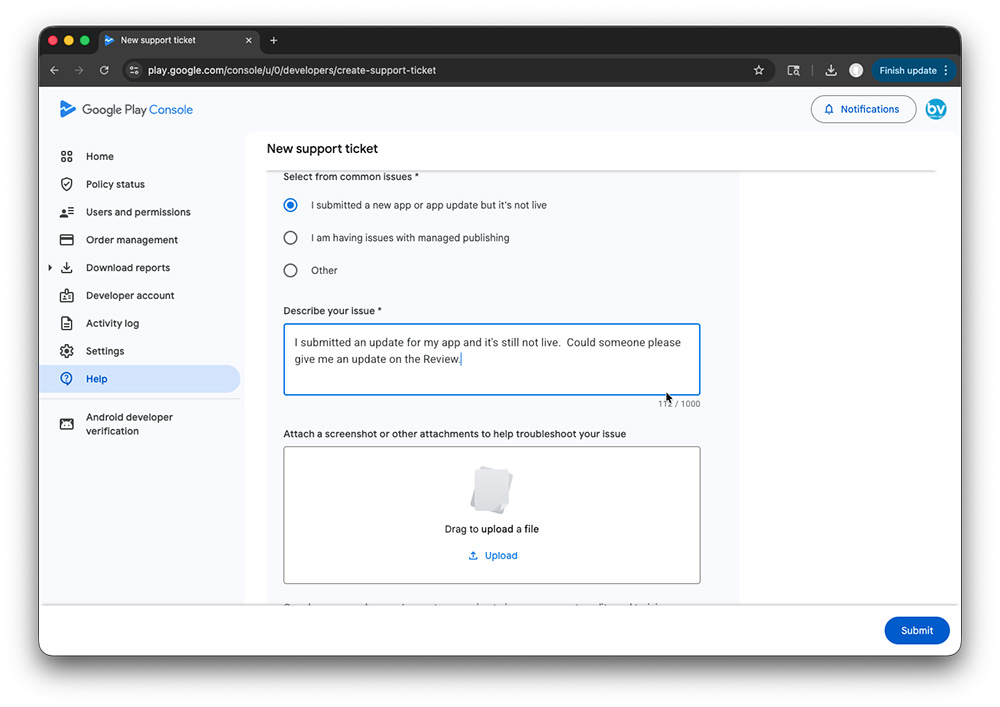
- There's no need to upload a Screenshot so you can skip that step.
- Click Submit
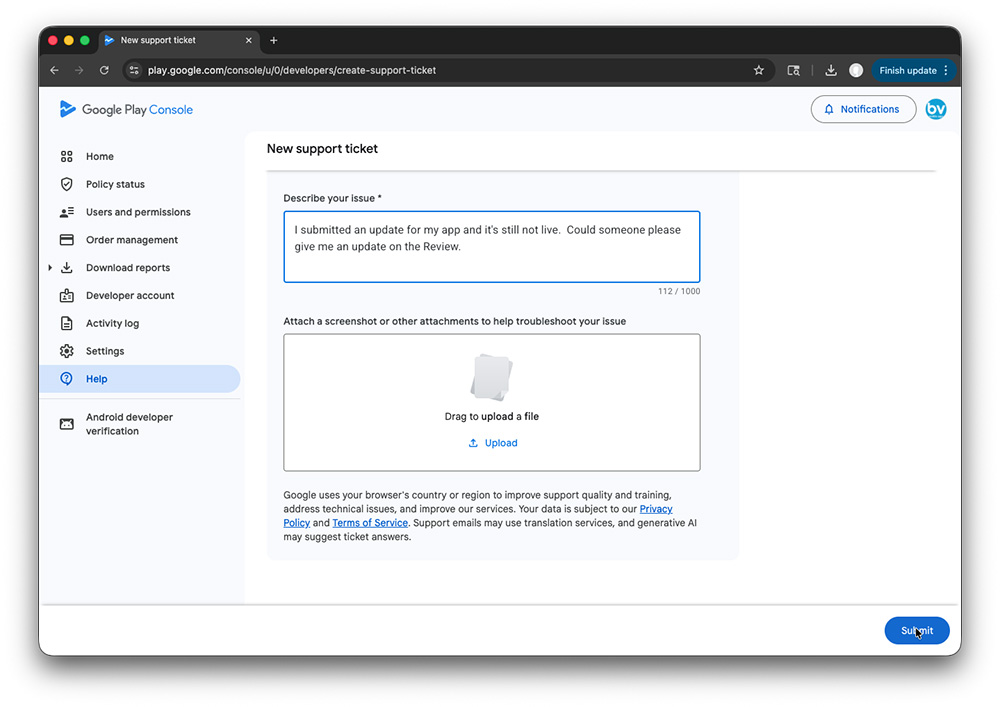
You will see your Support Ticket on the Help page. Google will respond to you via email using the Account Owner's Email.
Related Questions
Have more questions?
We can help you by phone or email. Contact Us

- 5686 Fulton Industrial Blvd SW, #44671
Atlanta, GA 30336 


About BV Mobile Apps
BV Mobile Apps is a mobile app development/hosting company. We specialize in creating apps for the entertainment industry. BV was founded by Gerald Olivari and Marshall Lyons. We're based in Atlanta.
Read more
© 2026 BV Mobile Apps, Inc. All rights reserved. Terms & Conditions | Privacy Policy