How do I complete the form to submit my Android app for Production Access?
Once you've reached had 12 Testers for 14 days while your app is in Closed Testing, Google will allow you apply for Production Access. This will allow you to make your app available in the Google Play Store for anyone to download.
In order to apply, you must complete a form of questions so Google can review your app.
Here's how you complete the process and our recommended answers for each question.
You will see the following confirmation page once you've submitted your application. Google will email you once they've reviewed your app.
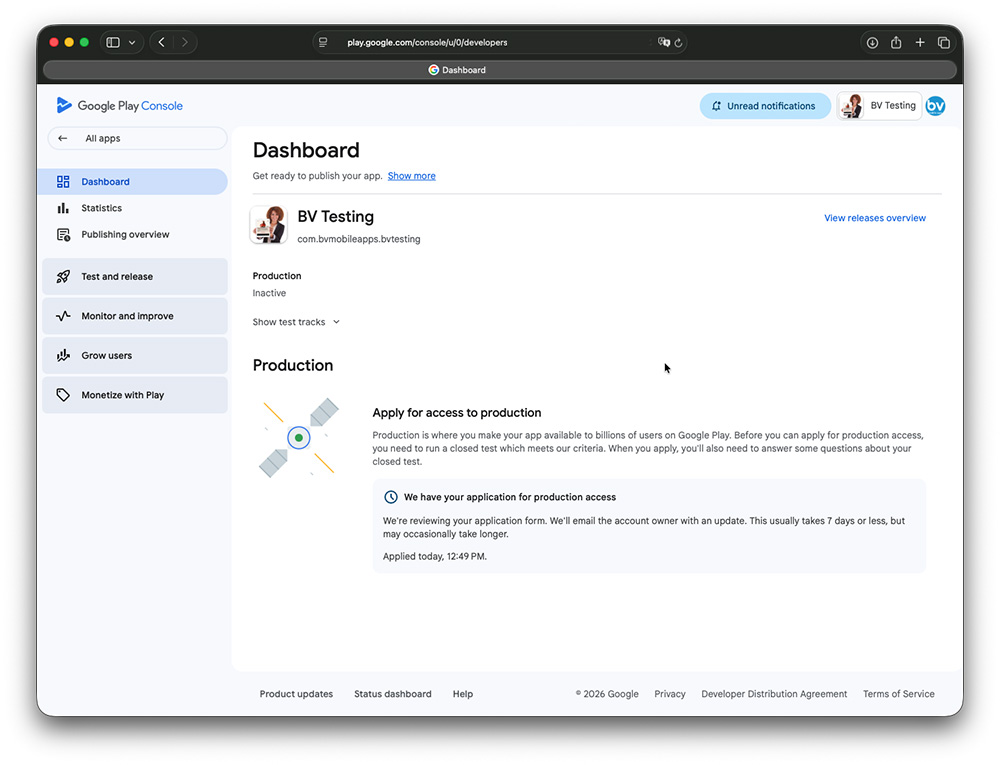
If it has been longer than 7 days, here's how you can Contact Google to get an update from them.
How do I Contact Google regarding the status of my app?
In order to apply, you must complete a form of questions so Google can review your app.
Here's how you complete the process and our recommended answers for each question.
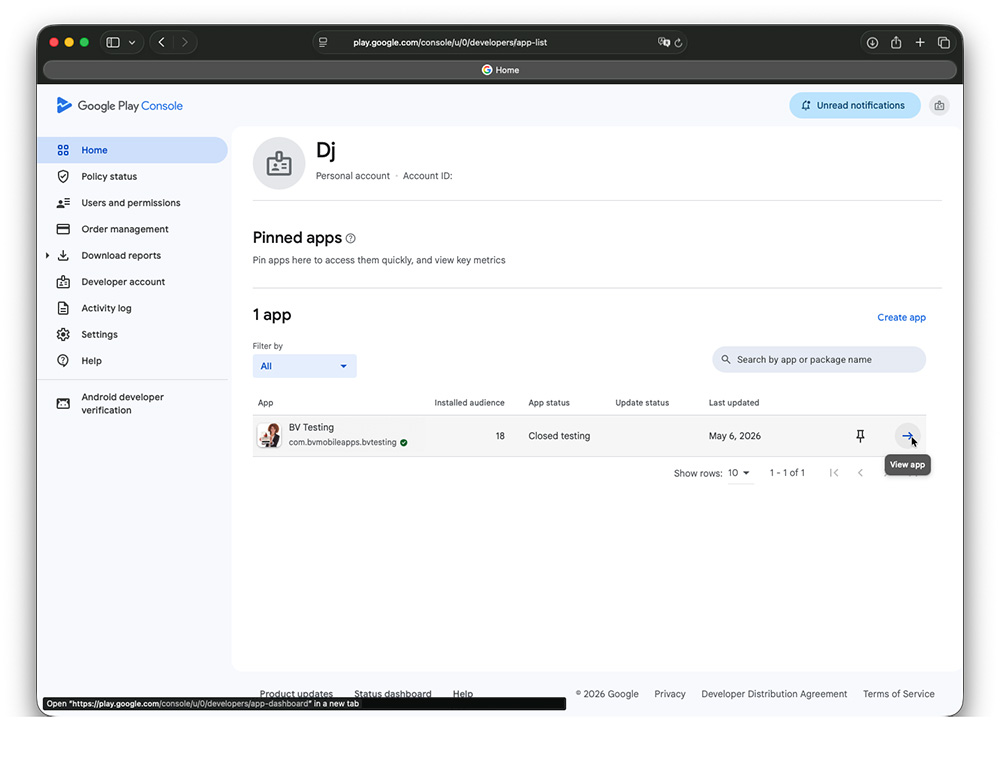
- Go to your Google Play Console and click on your app: https://play.google.com/console/u/0/developers/app-list
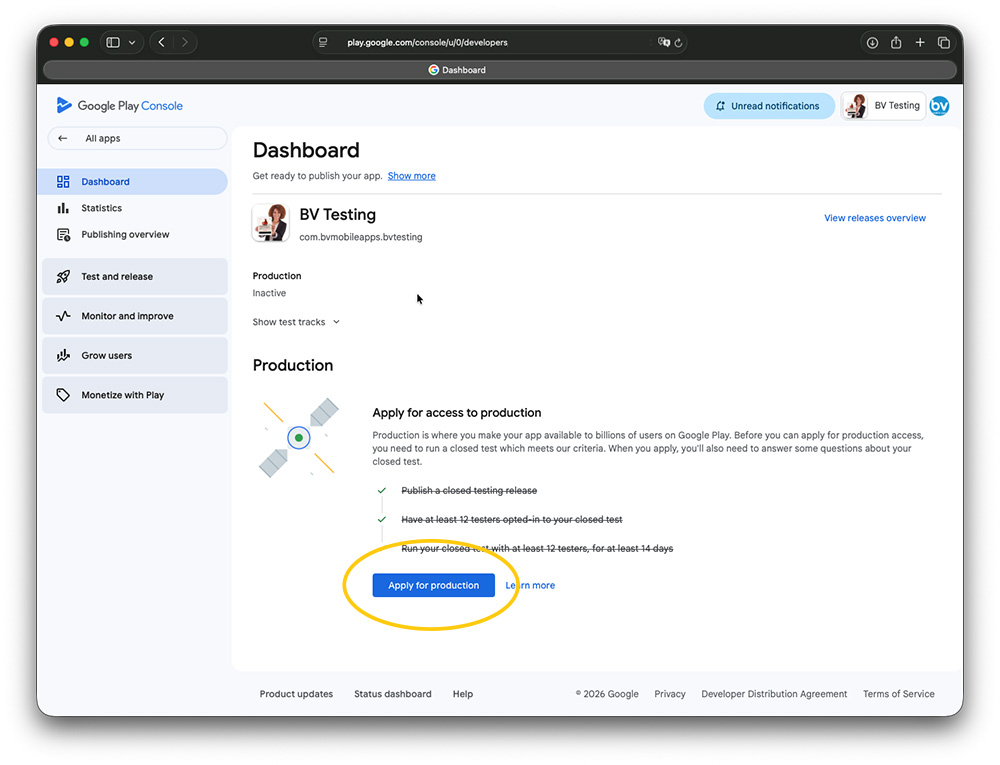
- Click Apply for production button
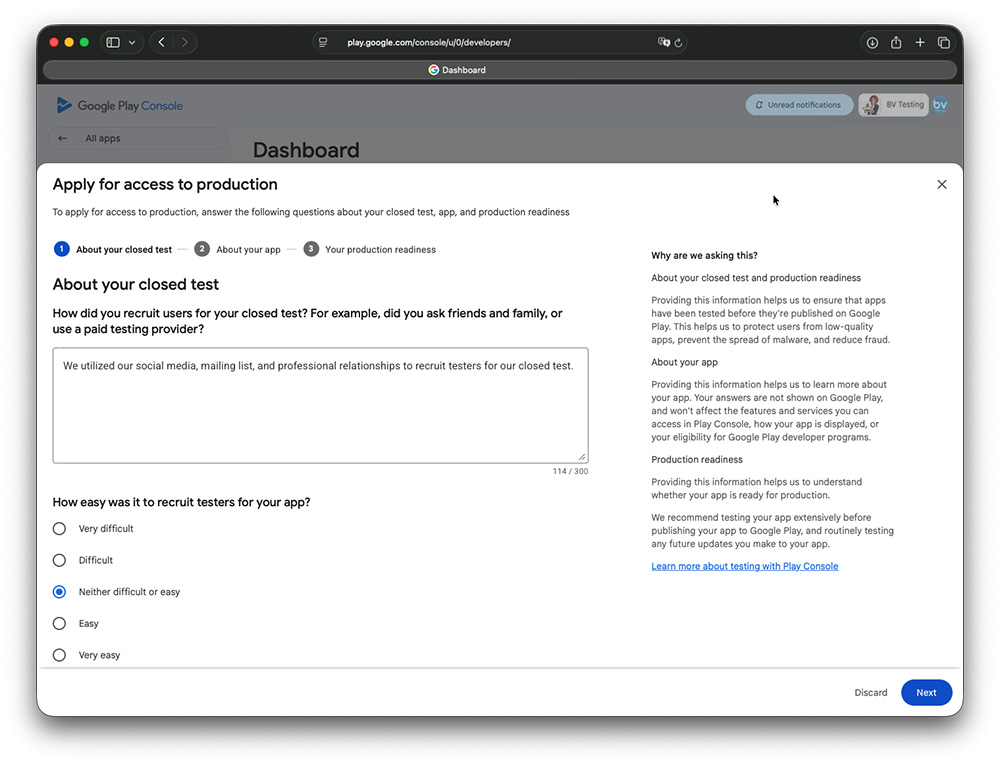
- Answer the question about how you recruited your testers. Here's the text that we recommend
- Select how easy or difficult is was to recruit your testers
- Describe the engagement that you received. Here's the text that we recommend
- Provide a summary of the feedback that you received. Here's the text that we recommend
- Describe your intended audience. Here's the text that we recommend
- Describe how your app will provide value. Here's the text that we recommend
- Select the number of installs you expect in your first year
- Describe any changes that you made while your app was in Closed Testing. Here's the text that we recommend
- Tell why you think your app is ready to go into the Play Store. Here's the text that we recommend
- Click Apply
We utilized our social media, mailing list, and professional relationships to recruit testers for our closed test.
Yes, our testers utilized our app how we would expect a real user to use it. Once our app is available in the Google Play Store, we plan to promote it and include more content in it so we would expect the engagement to increase.
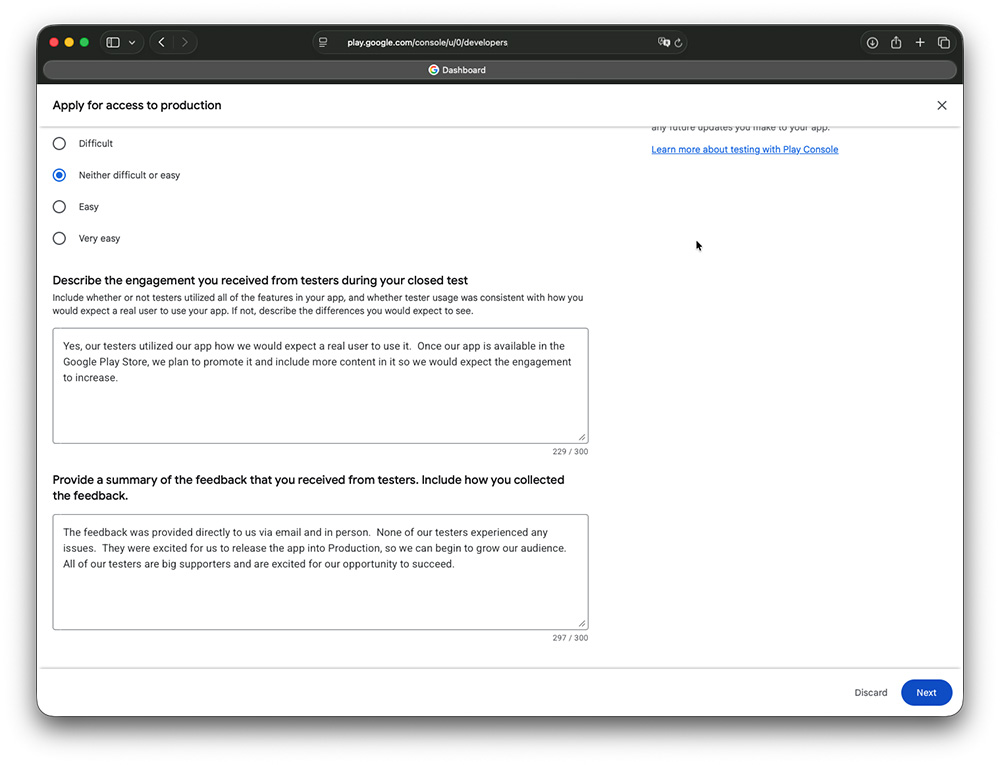
The feedback was provided directly to us via email and in person. None of our testers experienced any issues and they were excited for us to release the app into Production so we can begin to grow our audience. All of our testers are big supporters and are excited for our opportunity to succeed.
Our intended audience is our current and future listeners that enjoy the content that we play on our station.
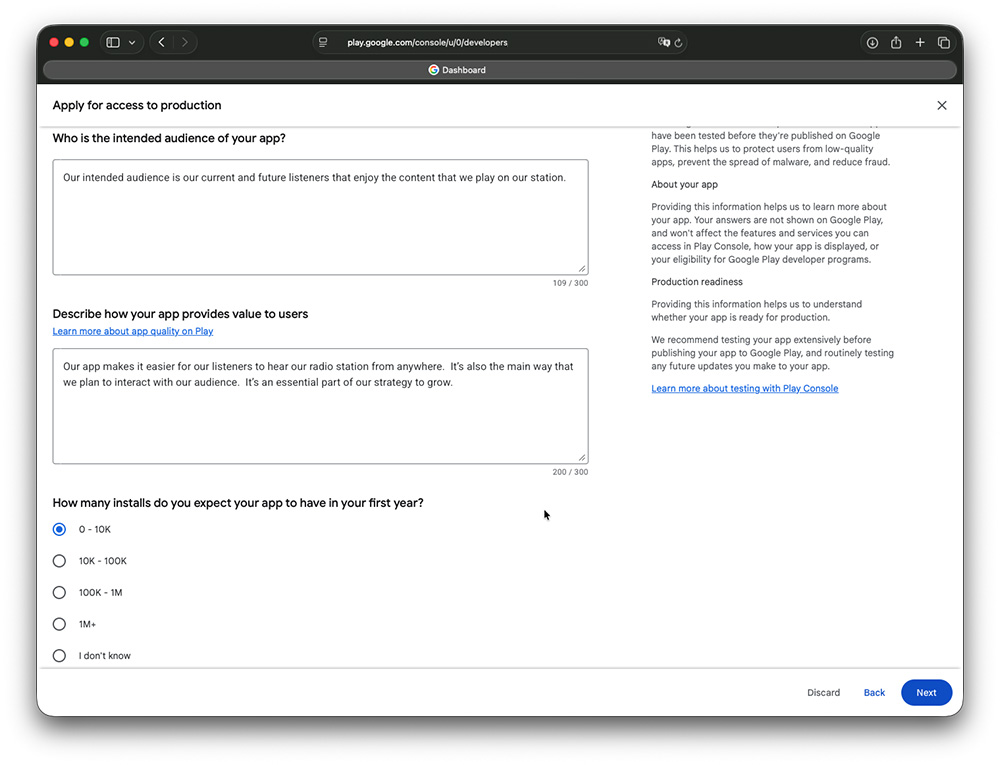
Our app makes it easier for our listeners to hear our radio station from anywhere. It’s also the main way that we plan to interact with our audience. It’s an essential part of our strategy to grow.
We made some minor tweets to the design through configuration changes, but we didn’t have to make any major changes during our Closed Test. Everything worked as expected.
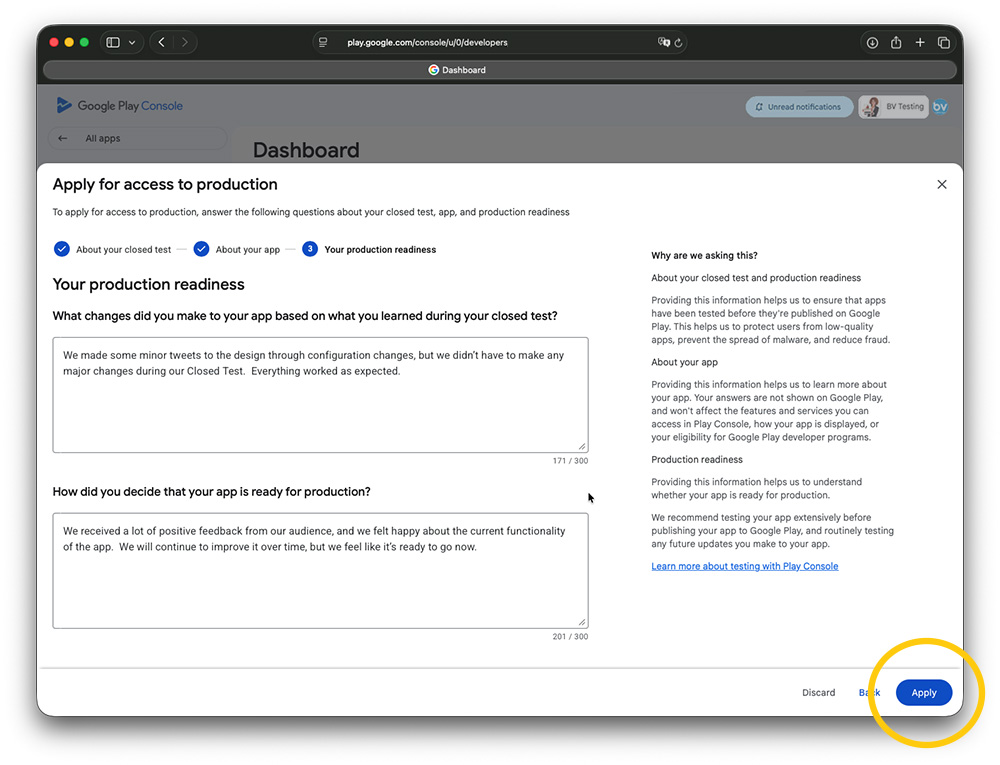
We received a lot of positive feedback from our audience, and we felt happy about the current functionality of the app. We will continue to improve it over time, but we feel like it’s ready to go now.
You will see the following confirmation page once you've submitted your application. Google will email you once they've reviewed your app.
If it has been longer than 7 days, here's how you can Contact Google to get an update from them.
How do I Contact Google regarding the status of my app?
Related Questions
Have more questions?
We can help you by phone or email. Contact Us

- 5686 Fulton Industrial Blvd SW, #44671
Atlanta, GA 30336 


About BV Mobile Apps
BV Mobile Apps is a mobile app development/hosting company. We specialize in creating apps for the entertainment industry. BV was founded by Gerald Olivari and Marshall Lyons. We're based in Atlanta.
Read more
© 2026 BV Mobile Apps, Inc. All rights reserved. Terms & Conditions | Privacy Policy