Song Request
In order to show the Request link in your app, you must set it up first. The app needs to know if you want to make it free or not. You also need to specify when you want it to appear.
Instructions:
• Download the BV app: https://bvmobileapps.com/apps
• Login to your BV account
• Go to the Requests tab
• Click the (+) button to add a new Event/Station
• Enter the information about that Event/Station
• Click Save
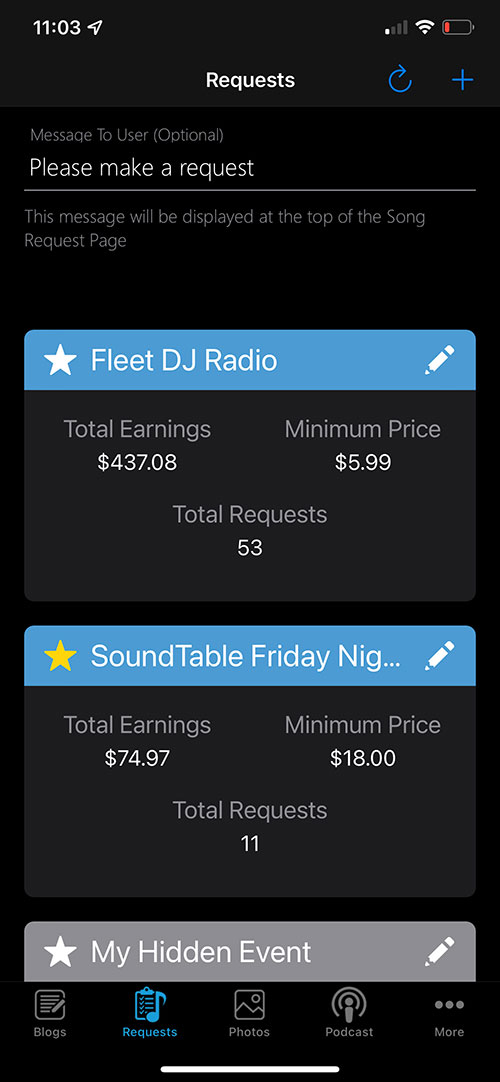
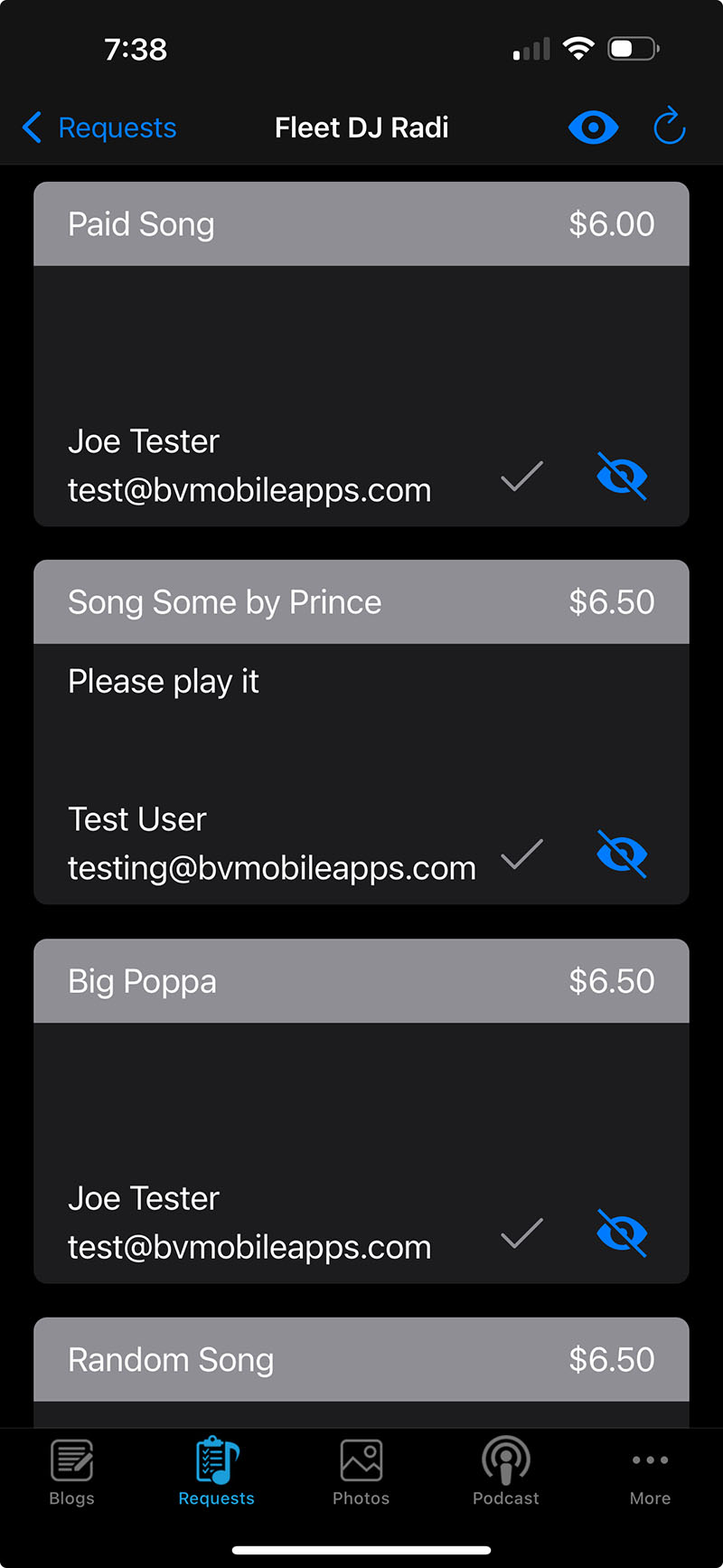
Once your listeners begin making requests, you will receive a Push Notification from the BV app for each request if you have enabled requests for our app. You can also check your requests in the BV app but clicking on each project that you created.
Search FAQs |
Contact Us |
| If you can't find an answer to your question here, send it to us and we'll respond via email. |
Topics |
| Amazon Alexa Amazon Fire TV App Store and Google Play Audio Billing General Maintenance Monetize Radio Stations Referral Program Setup Signup Song Request Upgrades Videos |

- 5686 Fulton Industrial Blvd SW, #44671
Atlanta, GA 30336 


About BV Mobile Apps
BV Mobile Apps is a mobile app development/hosting company. We specialize in creating apps for the entertainment industry. BV was founded by Gerald Olivari and Marshall Lyons. We're based in Atlanta.
Read more
© 2026 BV Mobile Apps, Inc. All rights reserved. Terms & Conditions | Privacy Policy